Cut step by step
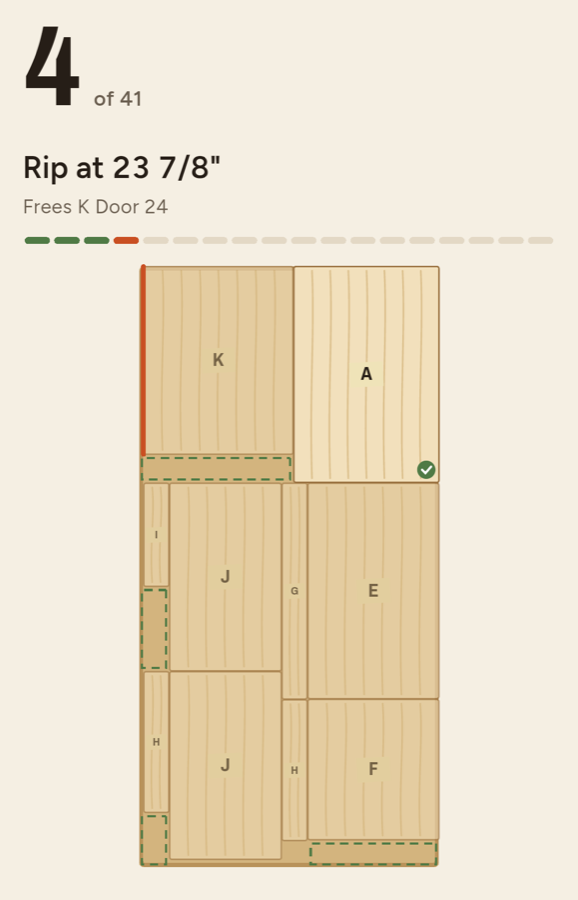
Each rip and crosscut in order, with the saw line on the sheet. Check off cuts as you go and pick up where you left off.
 Doska
Cut list optimizer for Android
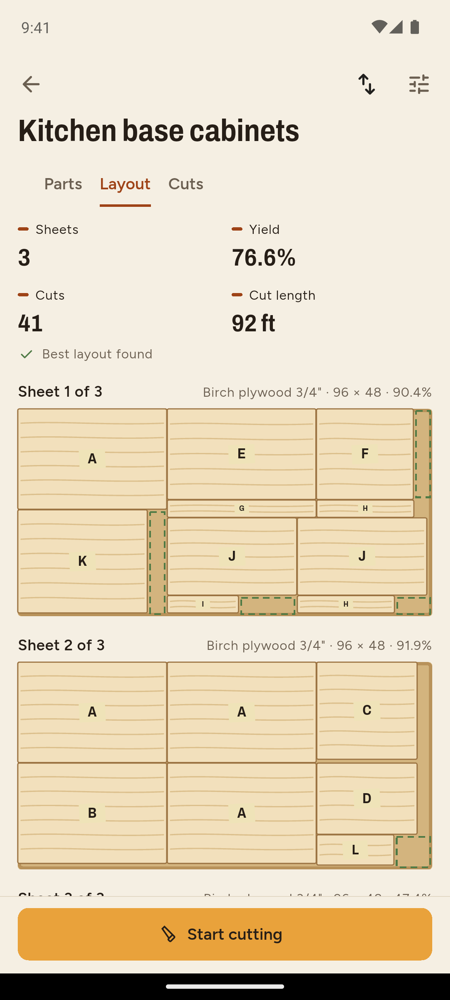
List your parts and Doska lays them out on plywood, MDF or melamine, allowing for saw kerf, grain and edge banding. Then follow the cuts one by one at the saw.
Inches with fractions, decimal inches, millimetres or centimetres.
Each rip and crosscut in order, with the saw line on the sheet. Check off cuts as you go and pick up where you left off.
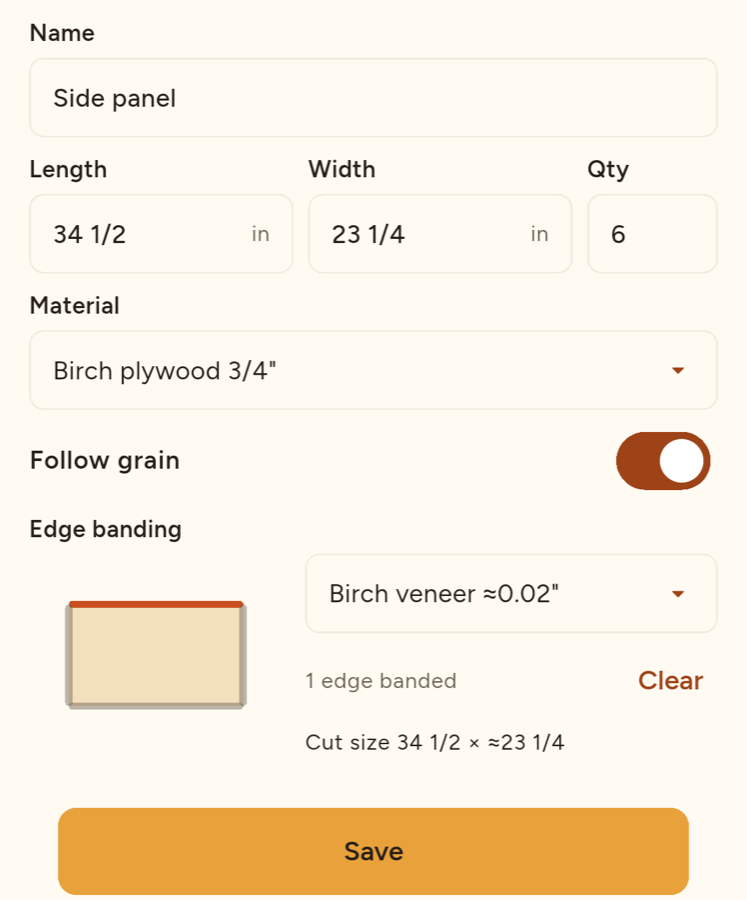
Lock grain direction per part and tap the edges that get banding. Cut sizes subtract the band thickness for you.
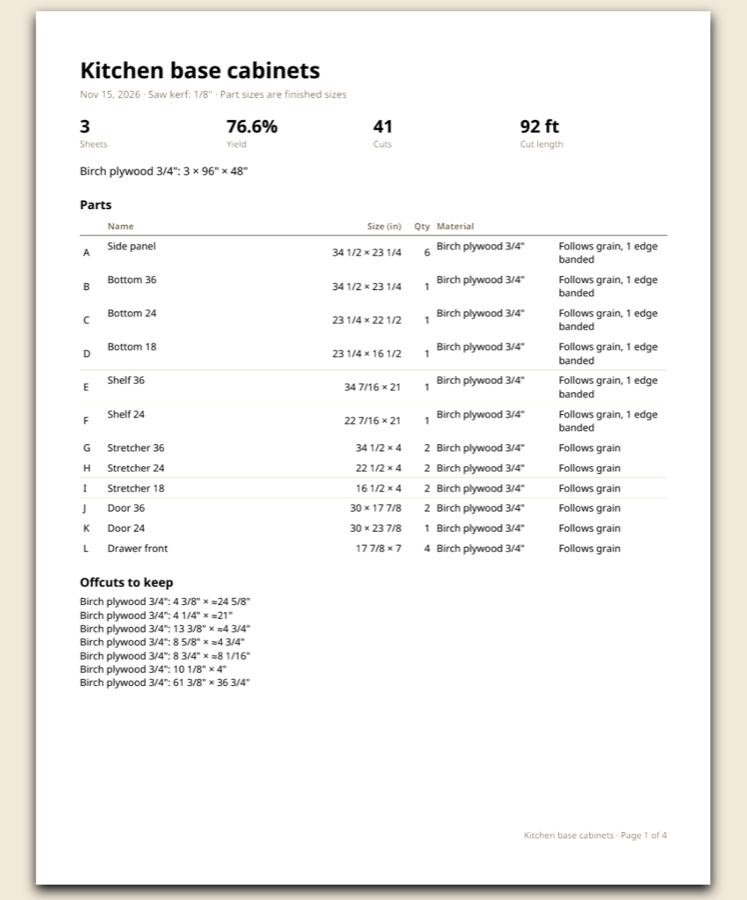
A to-scale PDF with every sheet and a cut list, plus part labels for Avery-style sheets.
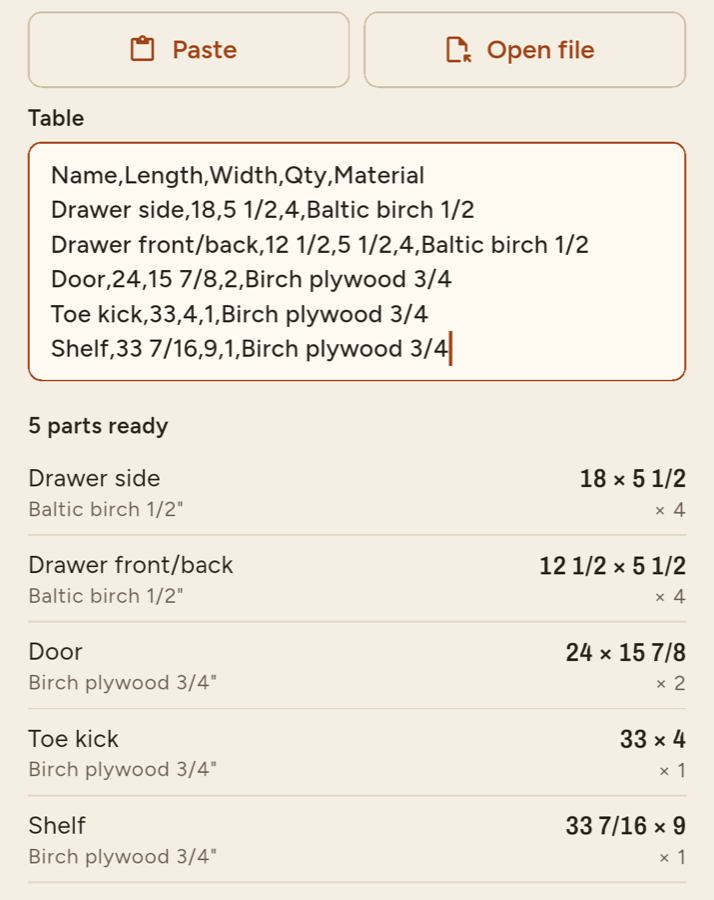
Copy a cut list from a spreadsheet or open a CSV file. Check the preview, then import.
Keep a library of materials, stock sizes and edge bands. Save usable offcuts and use them in later projects.
Save a backup file, or back up daily to your Google Drive and restore when you need to.
Projects stay on your phone. Layouts are calculated on the device and work offline.
Free and Pro
Layouts, cut lists, cutting mode and backups are free for up to three active projects. Doska Pro is a one-time purchase, not a subscription.